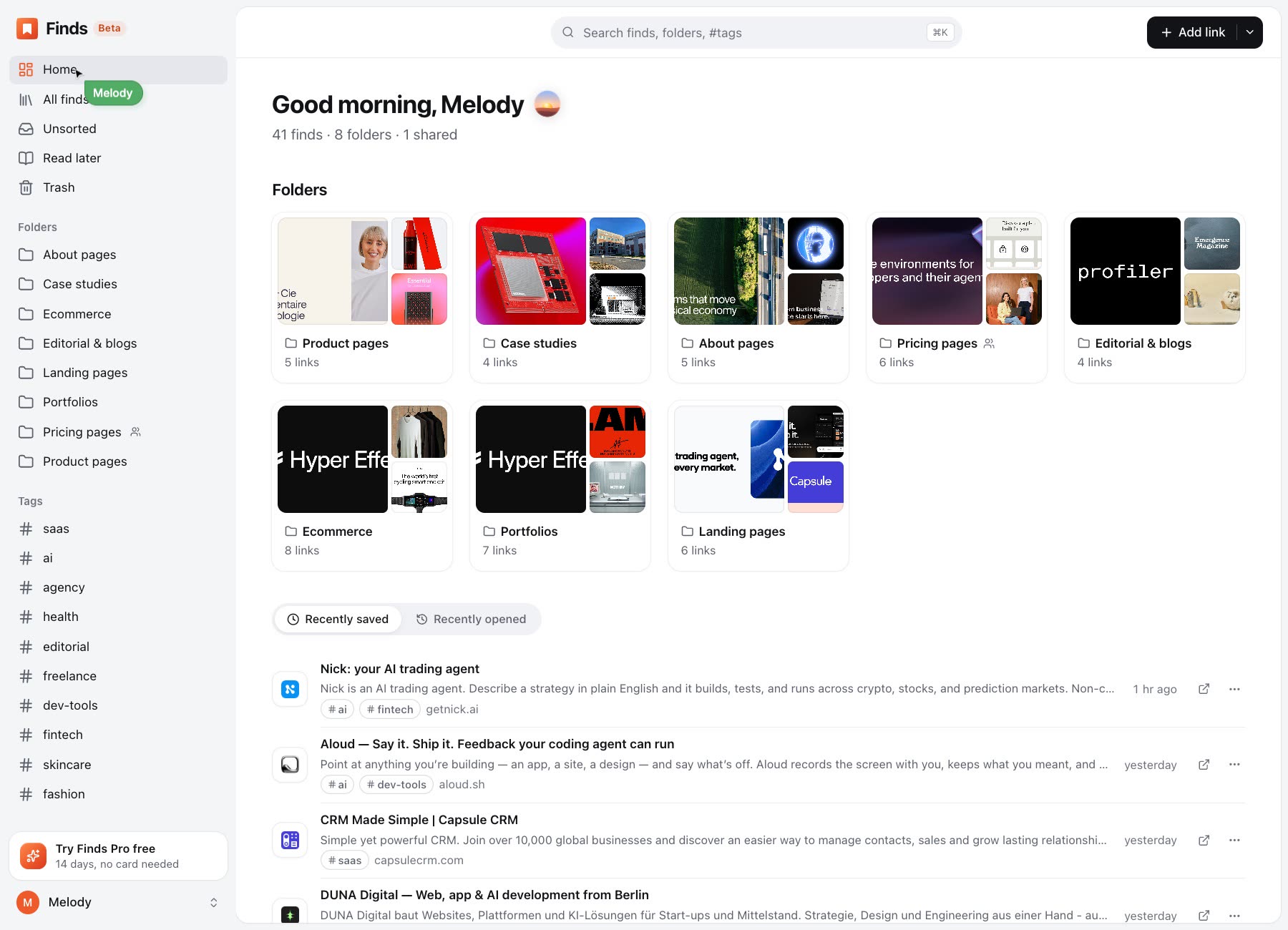
One click saves the page with its real cover.
Saved to Finds
Early access
A browser extension that saves any page in one click, with its real cover — and finds it again in seconds, on any device.
You’re on the list
We’ll email you an invite as soon as Finds is ready for you.
Available now in
 Chrome
 Firefox
 Edge
 Opera
 Brave
 Vivaldi
 SafariSoon
Saving
One click saves the page with its real cover.
Save the page without reaching for the mouse.
Send a page or a link straight to a folder.
Organising
Every folder shows its finds as covers.
Tag once, then find it from any folder.
Articles, videos and posts sort themselves.
Finding
Press ⌘K anywhere and start typing.
Type # and a tag to see only those finds.
Weekly checks flag the pages that have gone.
Sharing
A clean public page for any folder.
Invited people can view it and save its links.
They can duplicate it into their own Finds.
Import
Move in from your browser or another bookmark app in a minute. Your folders come with you.
Everywhere
Save from whichever browser you are in and it shows up everywhere else, already sorted.
Finds Pro
Unlimited folders and public links, plus a little help from AI. Try it free for 14 days, with no card.
Describe what you remember, and Finds brings back the page, whatever its title says.
Know what a page is about before you open it, right on its card.
Why apps that do less, more calmly, keep people coming back.
An email at the time you pick, so the pages you meant to read don’t slip by.
Suggested folders for everything you saved in a hurry. Accept them in one go.
Pro also keeps readable copies of pages that disappear. Free for 14 days, with no card. See plans and pricing
Privacy
Finds is paid for by Pro, not by your attention. Your links are never sold.
The extension sends Finds the pages you choose to save. Nothing about your browsing.
Export your whole library whenever you like, in a file any browser can open.
Your browser keeps a title and a link. Finds keeps the page’s real cover, sorts it into folders you can see at a glance, checks it still works, and has it ready in every browser and on your phone.
Yes. Save as many pages as you like, in up to 15 folders. Pro adds unlimited folders and public links and the AI tools, with a 14-day free trial. See pricing.
Finds is invite-only while it’s in beta, so it can grow at a pace that keeps it fast. Join the list and we’ll email you an invite, or ask a friend who uses Finds for theirs.
Yes, in a minute. Import a file from any browser, Raindrop or Pocket, and your folders come with it.
You keep every find. You go back to Free and choose the 15 folders you keep using; the others stay, with their links, read-only.
Turn on two-factor sign-in with any authenticator app, and see or sign out every device from Settings. Finds never sells your links or shows ads.
Export your whole library whenever you like, in a file any browser can open. Deleting your account removes everything.
Join the early access list and we’ll email you an invite.
 You